While processing OSC images, I kept running into the same background problem: broad red-green or magenta color blotches that survive a normal processing workflow and become obvious after stretching.
People usually deal with it indirectly. Reduce saturation in the background. Protect the object with a mask and push color only where signal is strong. Sometimes just move the black point and hide the problem. These tricks can help, but they often feel more like working around the defect than correcting it.
I wanted something more direct.
So I built a small tool called Color Mottle Corrector.

The idea is simple. Work in Lab space, leave luminance alone, touch only chroma, and correct broad background color bias rather than treat it as ordinary fine-grained noise. In practice, that means targeting those smooth magenta, green or yellowish casts that can make a background look dirty without crushing faint structure or forcing the image into a dead neutral gray.
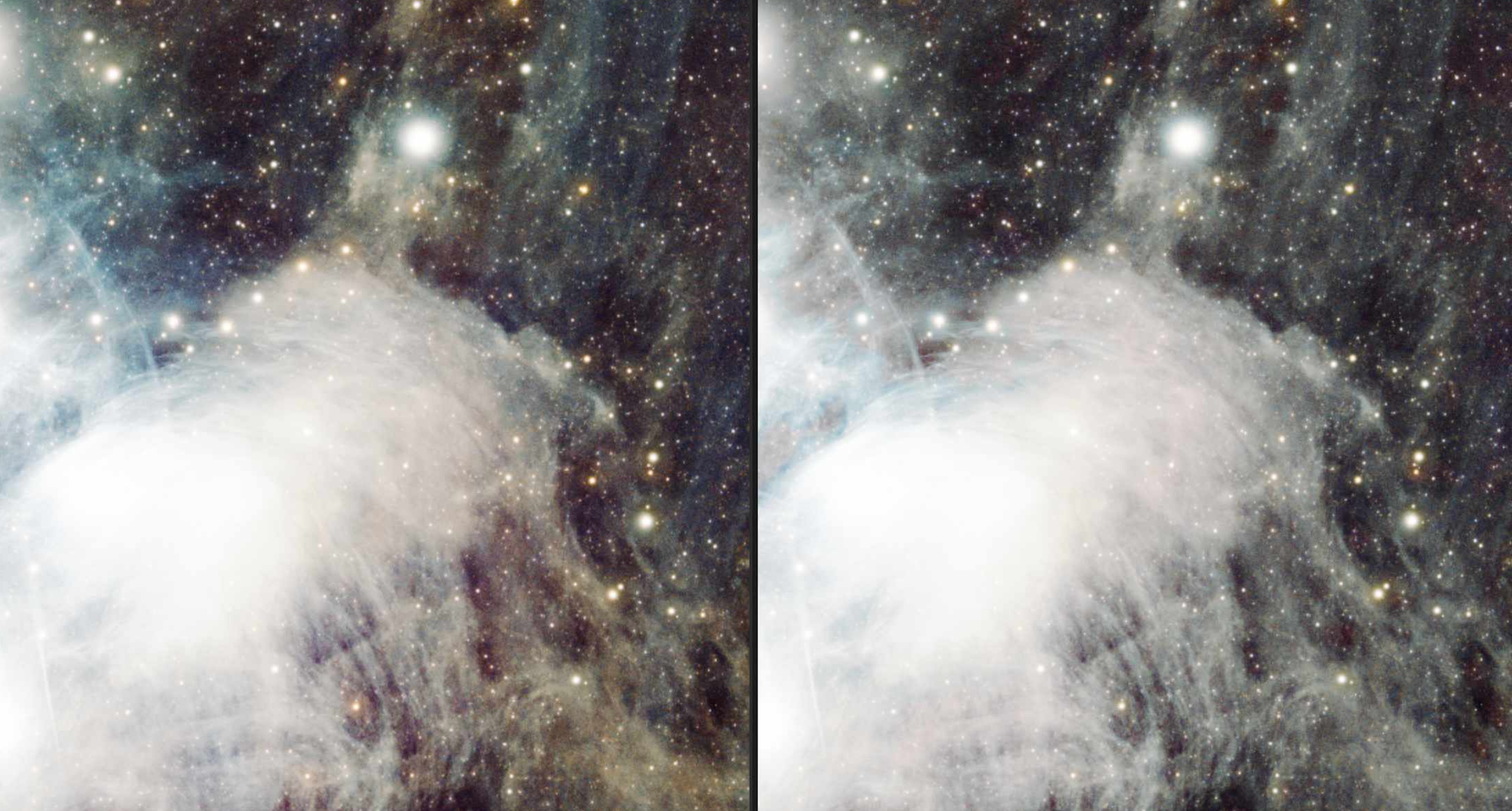
It is not a replacement for calibration, gradient removal or color calibration. It sits much later in the workflow, when most of the normal processing is already done and some residual color mottle is still there.
To use the tool you just need Python with pip installed
pip install color-mottle-corrector
color-mottle-corrector
For detailed documentation and project sources, please visit the GitHub repository: https://github.com/lonely-lockley/color-mottle-corrector